Dispatch a Duty
This guide walks you through the steps to dispatch duties in the Spothire dashboard.
Steps to Dispatch a Duty
- Navigate to the Alloted duties Dashboard
- Log in to the Spothire dashboard.
- Click on Duties.
- Under Duties, select Alloted
1. Mark Duty as Dispatched
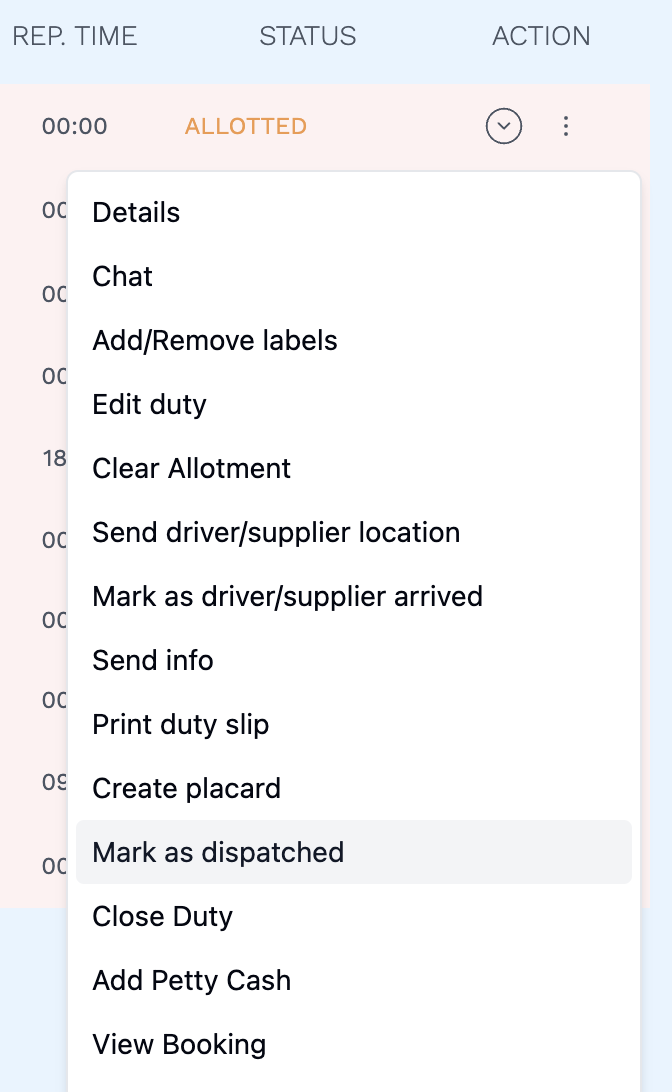
- Click on the three dots in the Action column of an alloted duty.
- This will open a menu with several options.
- Click on Mark as Dispatched.
- This will immediately mark the duty as Dispatched.
info
After dispatching a duty, it will show up under the Dispatched tab in the Duties listing page.